1. Export a CSV marker file from Pix
Open the comments panel on the right side in Pix. Press the three dots and select "Export". Now you can then download the CSV file from Pix.
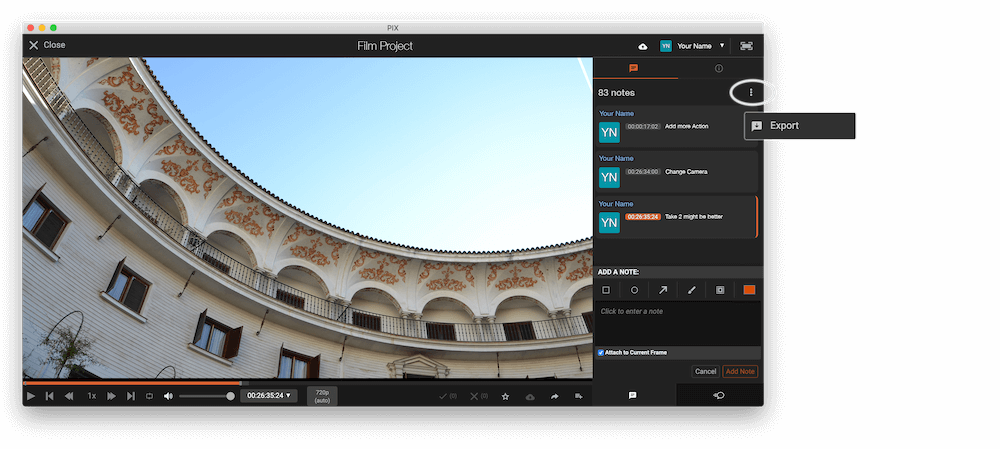
The timecode in Pix starts with 00:00:00:00 for each clip, so you may need to use the offset function on EditingTools.io to sync it with you timeline or move it manually in your NLE (editing software).
2. Use the "Marker átalakító" to convert the CSV marker file into a CSV file
Open the free Marker átalakító, select "Pix Systems > Comments (.csv)" and set "convert" to "CSV for Google Sheets". Generate and download the file. Ha problémája van a fájl konvertálásával, forduljon ingyenes ügyfélszolgálatunkhoz.
3. Import the CSV file into Google Sheets
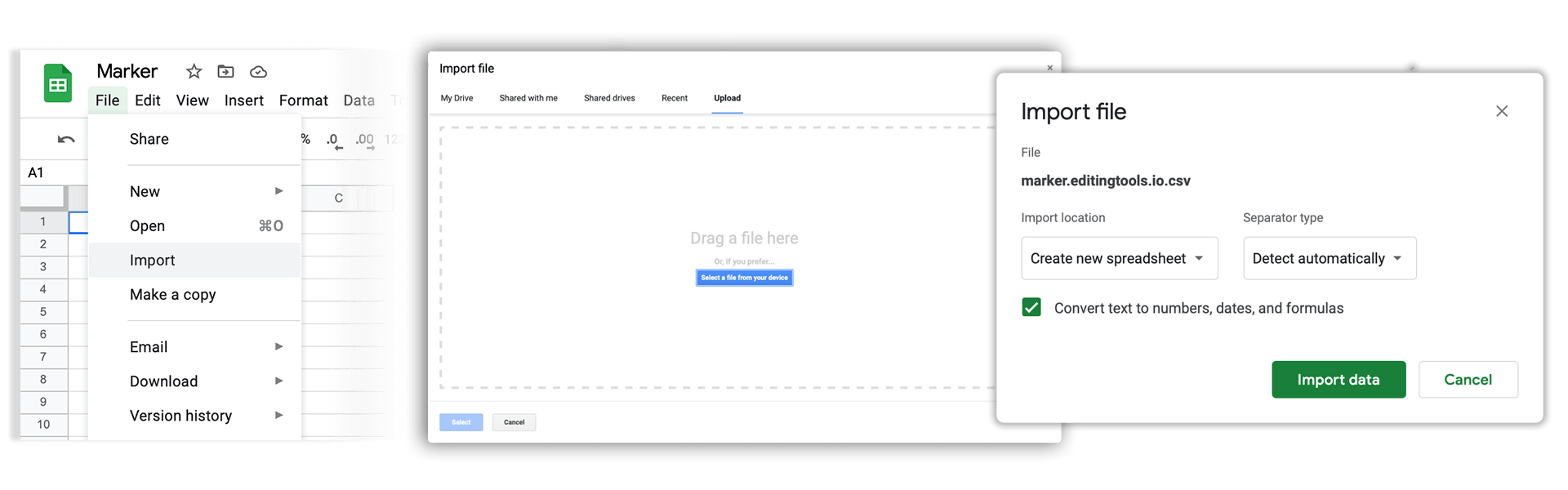
Open Google Sheets and go to "File -> Import". Upload the generated CSV file and press "Import Data" to generate the Sheet with all markers.
🚀 Kész
Egyelőre ennyi! Ha hasznosnak találta ezt az útmutatót, kérjük, ossza meg, hogy támogasson minket. Ha van javaslata, hogyan javíthatnánk a munkafolyamaton, kérjük, jelezze nekünk!