1. Export a CSV file from Krock.io
To export comments from Krock.io, select the video and open the menu via the three dot icon. Select "Export comments to csv" to export the comments.
2. Use the "Marker átalakító" to convert the CSV file into a CSV file
Open the free Marker átalakító, select "Krock.io > Comments (.csv)" and set "convert" to "CSV for Apple Numbers". Generate and download the file. Ha problémája van a fájl konvertálásával, forduljon ingyenes ügyfélszolgálatunkhoz.
3. Import the CSV file into Numbers
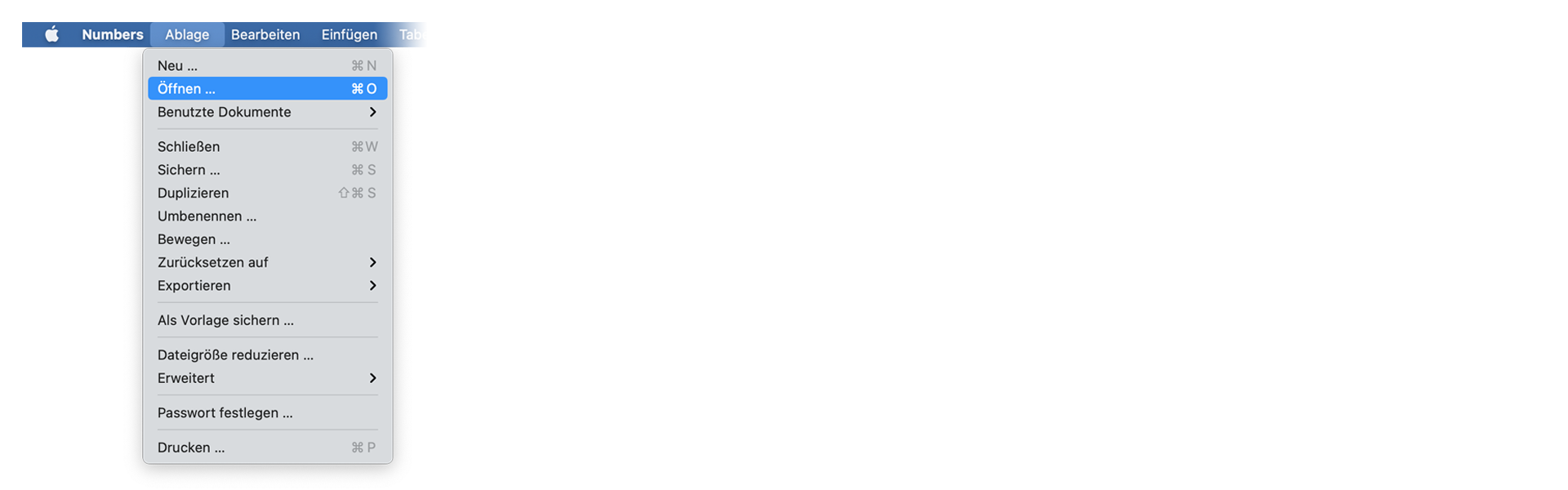
Open Numbers and go to "File -> Open". Simply open the CSV file.
🚀 Kész
Egyelőre ennyi! Ha hasznosnak találta ezt az útmutatót, kérjük, ossza meg, hogy támogasson minket. Ha van javaslata, hogyan javíthatnánk a munkafolyamaton, kérjük, jelezze nekünk!